Selling made simple.

A point of sale for small shops, right on your phone. Ring up a sale in seconds, keep stock and orders straight, and keep selling when the internet drops.

Free to start. No account, no extra hardware.

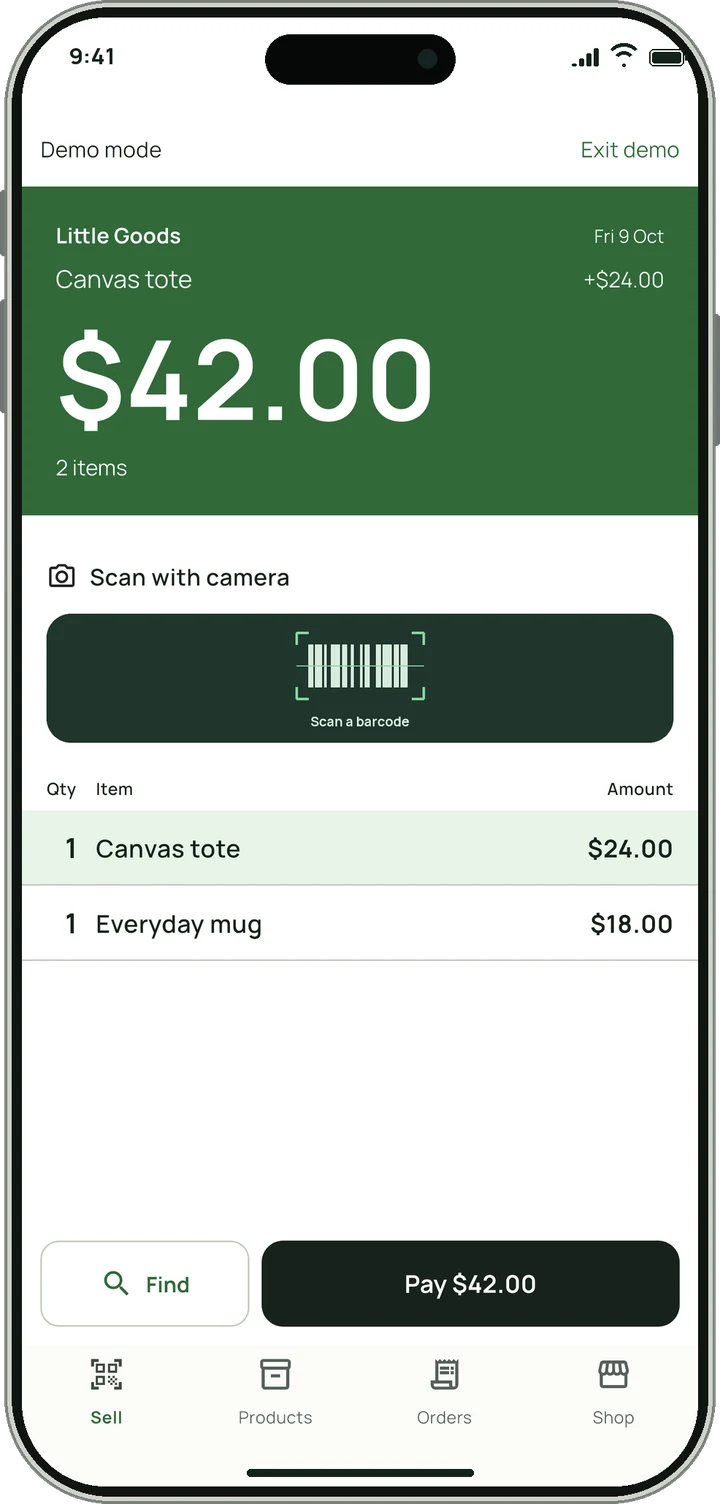
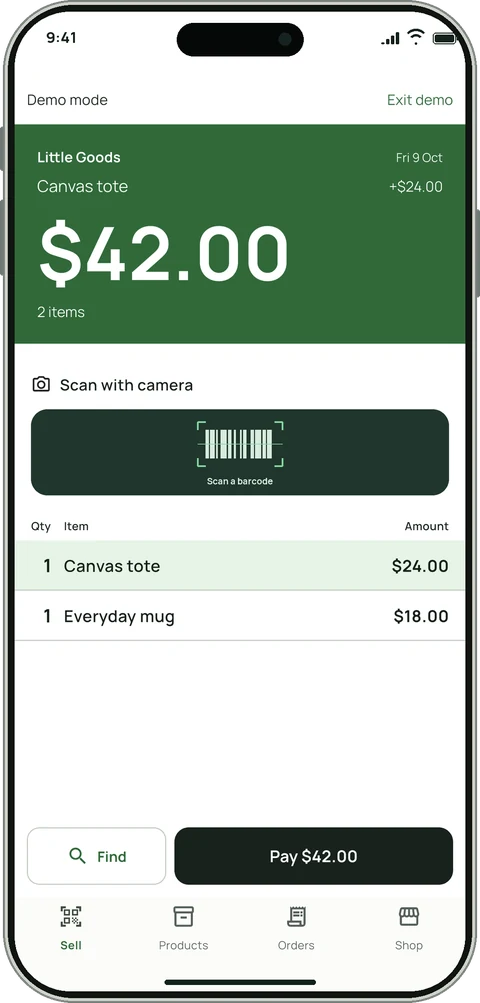
Selluvo selling screen: a green display shows a $42.00 total above a barcode scanner and two cart lines.

One phone runs the whole counter.

No till, no scanner gun, no back-office computer. Here is a sale from the first tap to the end-of-day numbers.

Selling screen with a running total, camera scanner and cart.

Scan products. Build your cart.

Tap a product or point the camera at a barcode. The cart builds itself and the green display keeps the running total in view.

  • Scan barcodes with the phone camera
  • Add discounts, tax and one-off items as you go
  • Keeps working with no signal
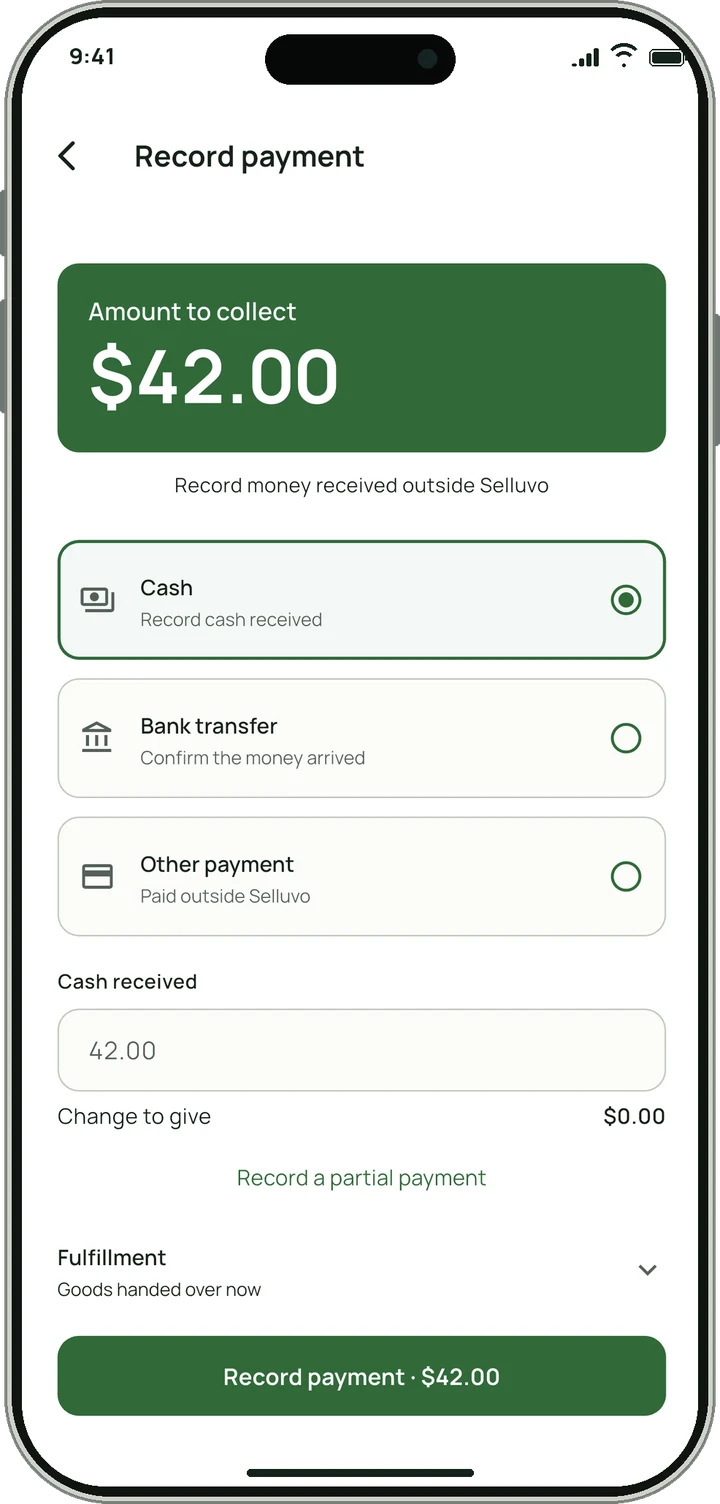
Record payment screen with cash, bank transfer and other payment options.

Take the money. Record it in a tap.

Pick cash, bank transfer or another method and enter what you were handed. Selluvo works out the change, or keeps the balance open if the customer pays the rest later.

  • Change to give, worked out for you
  • Partial payments with the balance tracked
  • Share or print a receipt
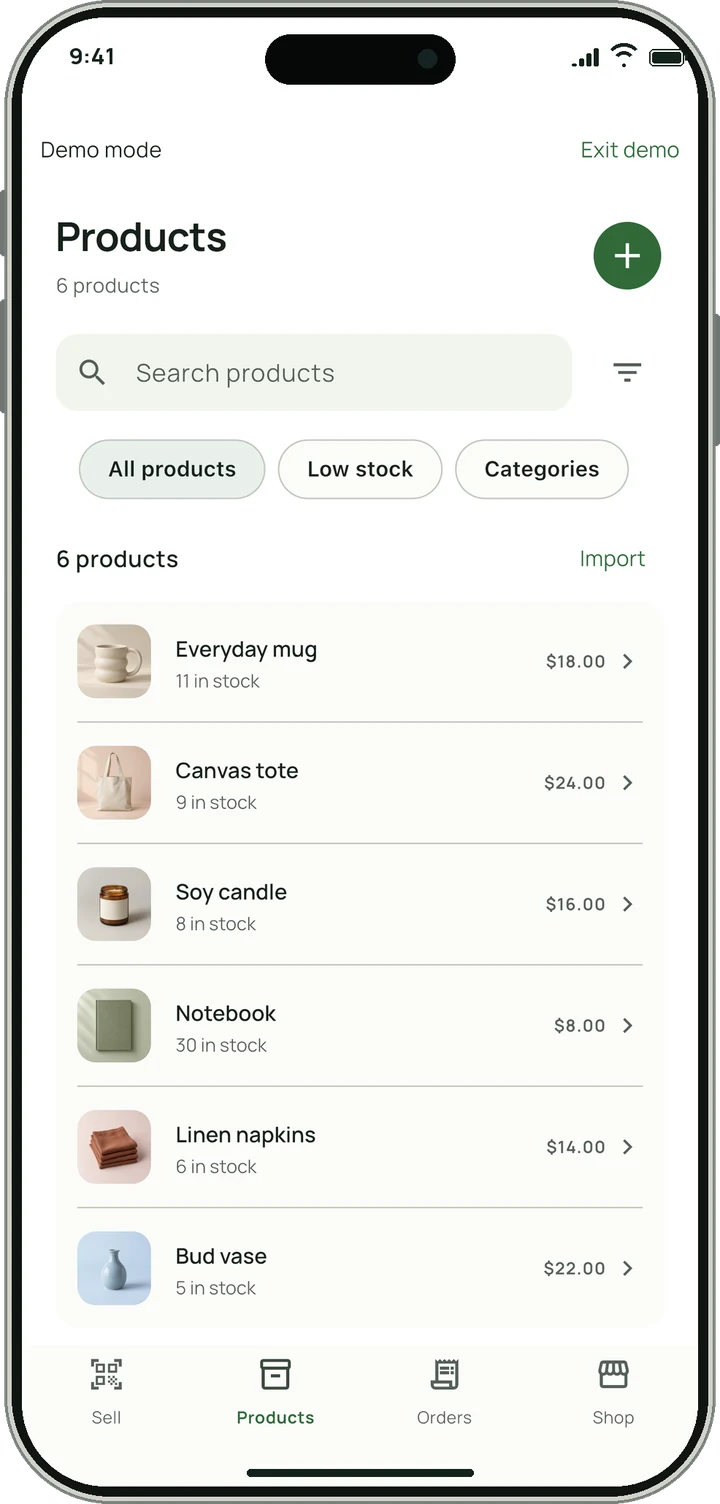
Product list with photos, prices and stock counts.

A little order. A lot less effort.

A product needs a name and a price, nothing more. Photos, variants, cost and stock tracking are there when you want them.

  • Low-stock alerts and a full stock history
  • Scan a barcode to fill in product details
  • Import or export your catalog as CSV
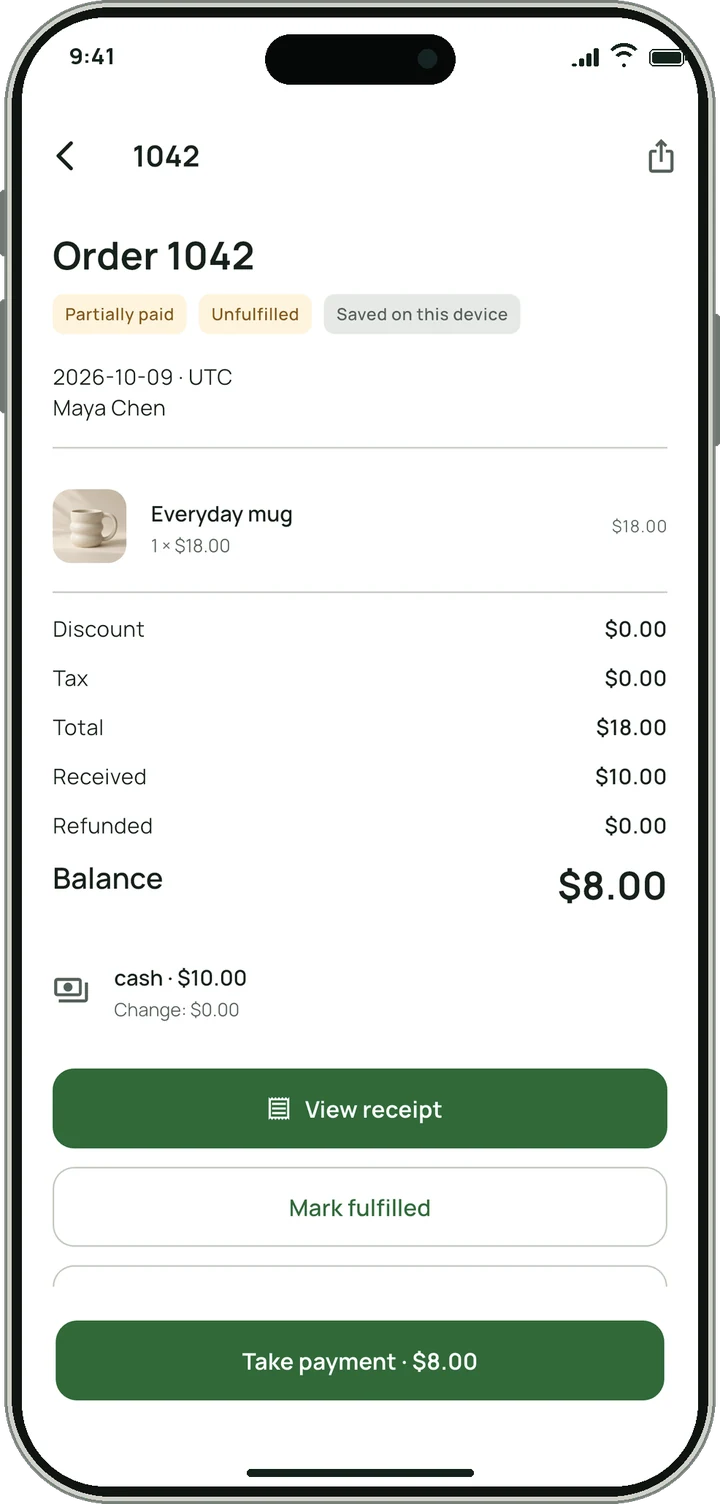
Order detail showing a partly paid order with an $8.00 balance.

From first payment to final handover.

Save an order for later and see at a glance what is paid, part-paid or unpaid. Mark it fulfilled when the goods leave the counter.

  • Payment and handover tracked separately
  • Customer list with purchase history and balances
  • Refunds that keep the original record
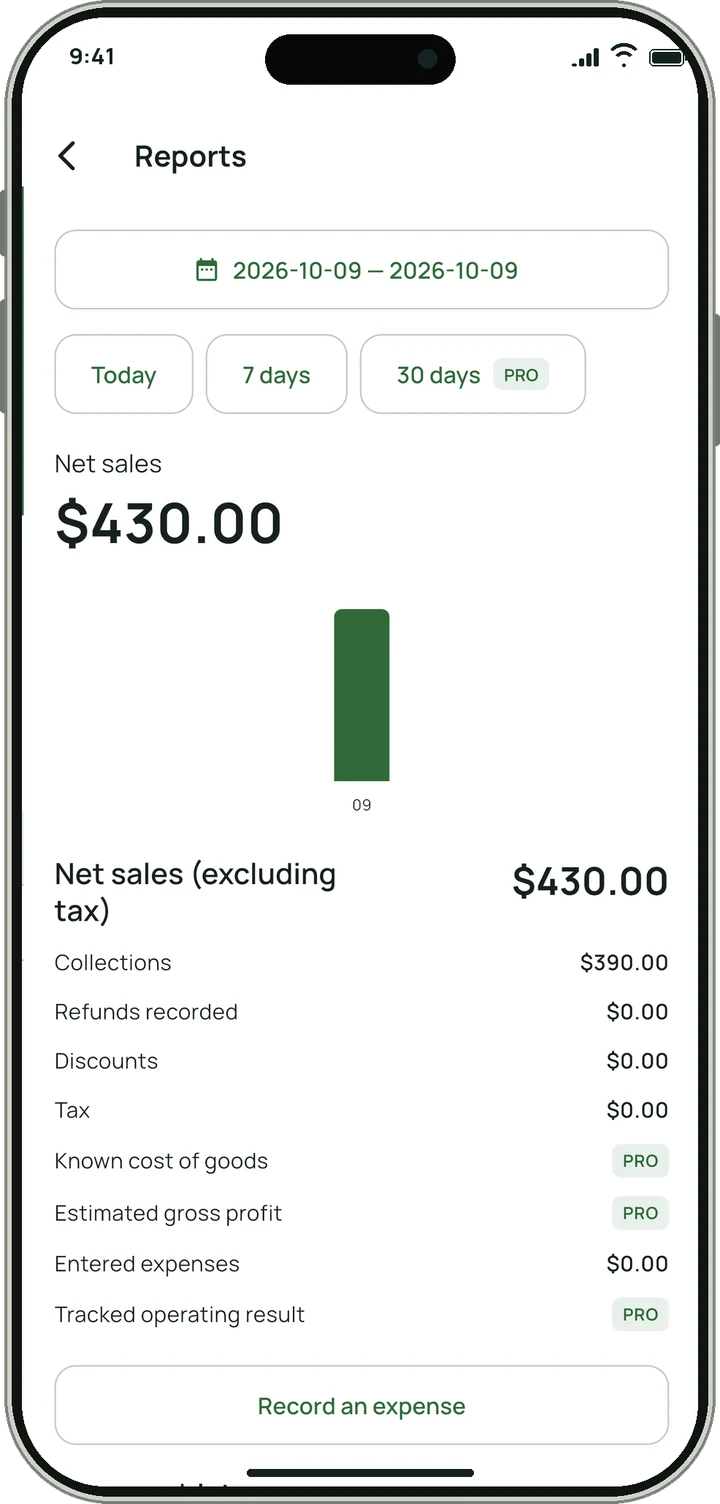
Reports screen showing net sales of $430.00 with collections and expenses.

See your sales. Know your day.

Sales, collections, refunds and expenses on one page, in plain words instead of accounting terms.

  • Today and the last 7 days, free
  • Unpaid orders and low stock in one place
  • Expense tracking alongside sales

Screens show a demo shop with sample products and sales.

Your counter. Your kind of style.

Different ways to run the same shop, each with its own layout and checkout flow. Pole Display is free. The others come with Pro, and you can preview them all first.

Choose a counter to preview

Pole Display

Free

Scan, tap Pay, then record. The green display changes from total to change, and four tabs keep the shop close.

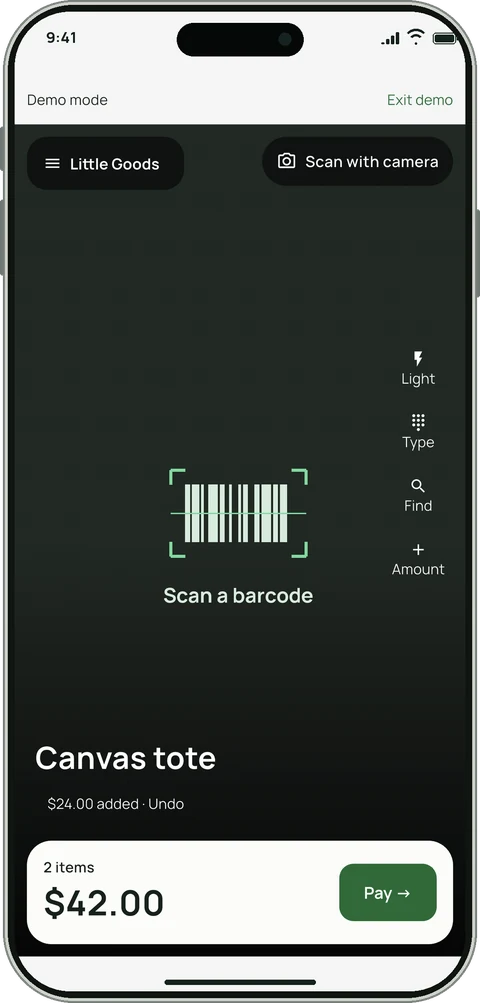
Viewfinder

Pro

The camera fills the screen. Swipe up for payment and open the shop menu from its name.

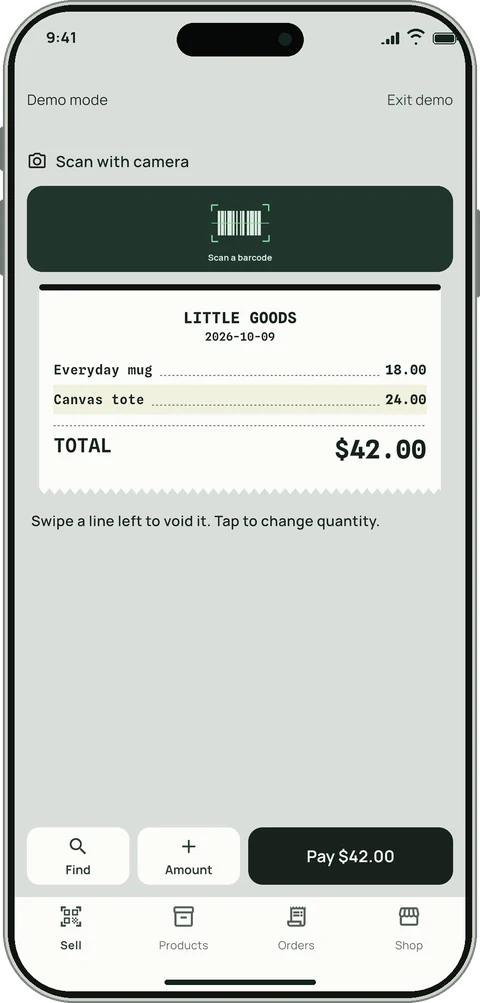
Receipt Tape

Pro

Build a receipt as you scan. Cash and change print onto the same tape, then tear off when recorded.

Yellow Tag

Pro

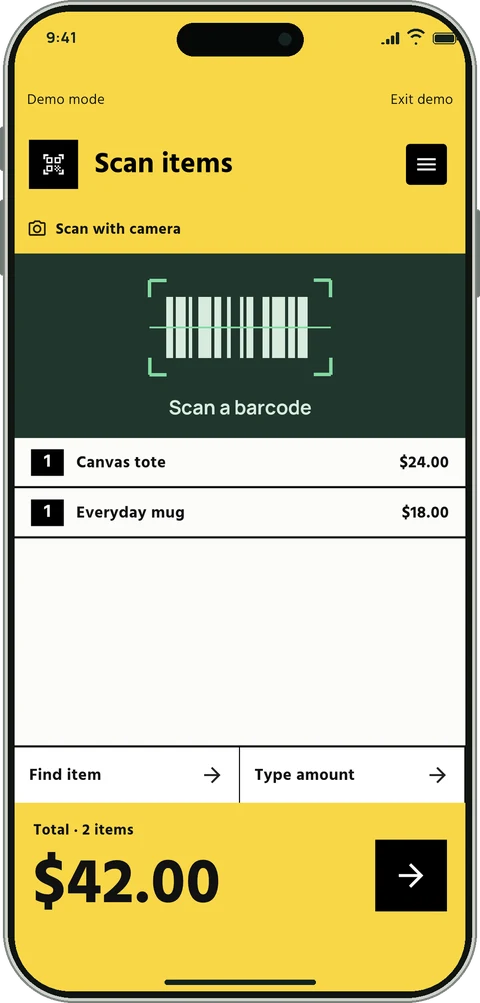
One question at a time: scan, payment method, then change. A simple directory opens the rest of your shop.

Key Deck

Pro

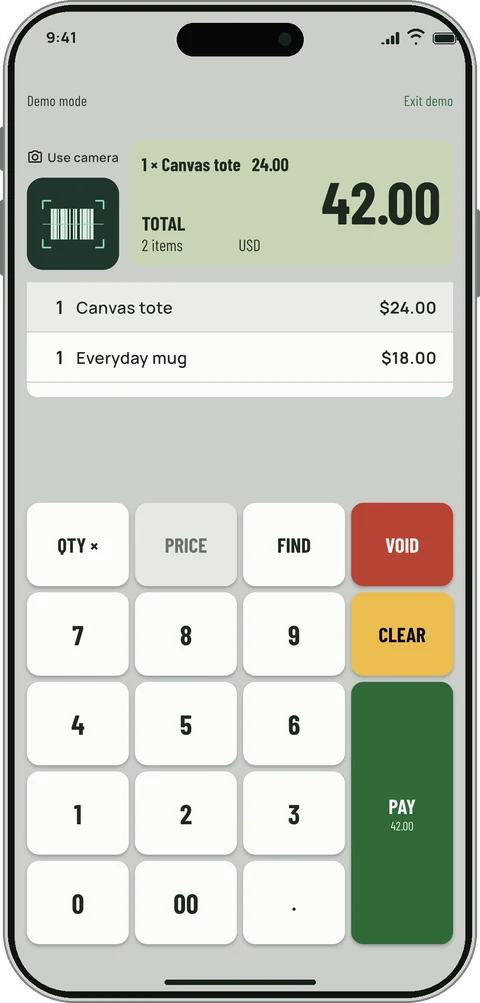
Register keys for quantities, prices and cash. The green key takes you from Pay to Cash to Next.

Spotlight

Pro

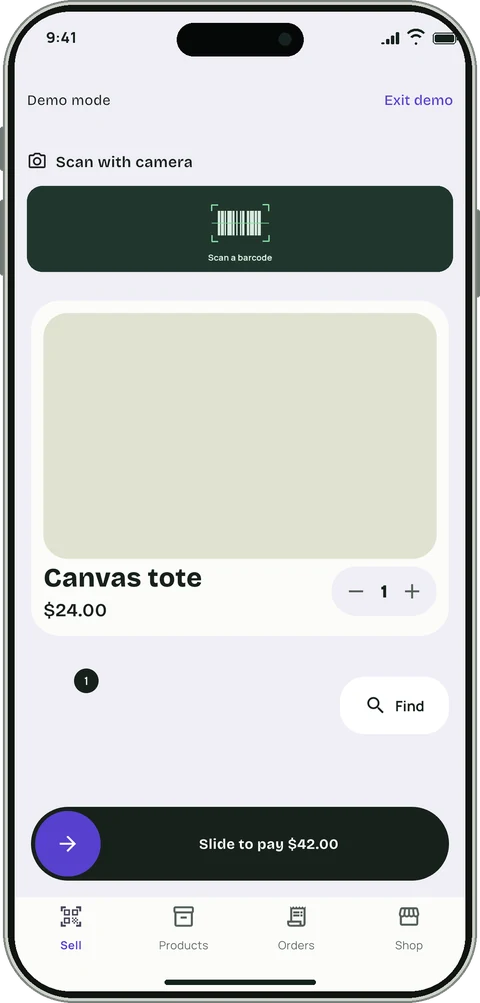
Each product on a large photo card. Slide to pay, then keep scanning.

Scan Bed

Pro

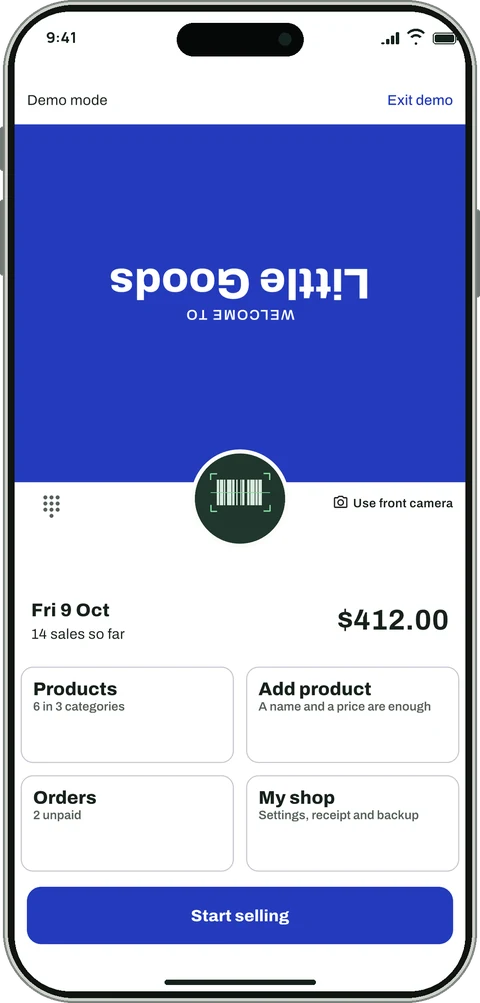
Lay the phone on the counter. Customers read the total from their side while you scan and take payment.

Day Book

Pro

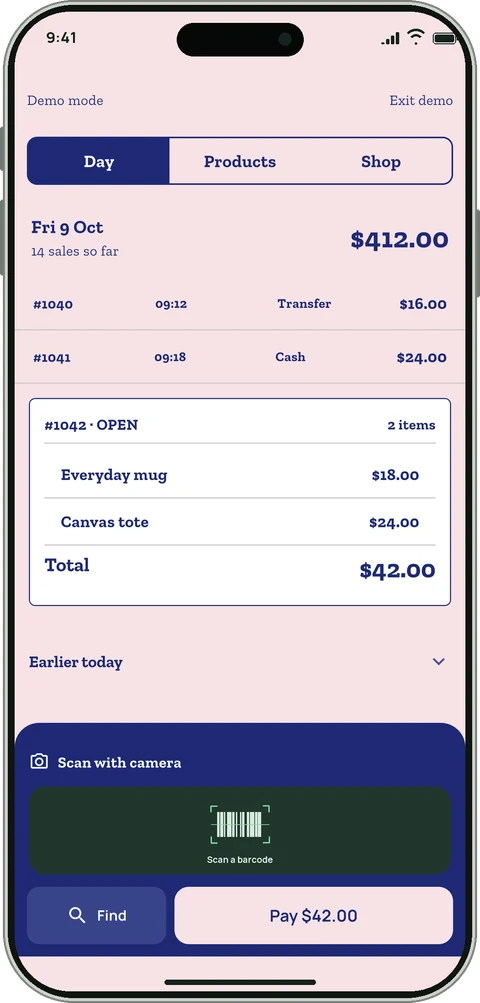
Today's sales and payment on one page. Top tabs and a scanner dock work like a sales book.

Pole Display counter with a green total display. Viewfinder counter with a full-screen camera and a total bar. Receipt Tape counter showing items on a paper receipt. Yellow Tag counter with bold yellow and black bands. Key Deck counter with a numeric keypad and an LCD total. Spotlight counter with a large product card and a slide-to-pay bar. Scan Bed counter with an upside-down customer display in blue. Day Book counter styled as a pink ruled ledger.

Your records stay with you.

Selluvo saves every sale on your phone first. You can run the shop for years without creating an account, and take your data with you whenever you like.

Internet needed to sell
No
Account needed to start
No
Limit on sales or products
None
Backup and restore
Your phone, Google Drive or iCloud
Backup encryption
Optional recovery password
Spreadsheet export
CSV, any time
Try before you set up
Built-in demo shop

Free to sell. Pro when you grow.

Sales, orders, payments, products, stock, customers, barcode scanning and receipts are free, with no cap. Pro adds the things a growing shop asks for.

Feature Free Pro
Cloud sync and a second device Not included Included
Backup to Google Drive or iCloud Manual backup and restore Automatic daily backup while you use the app
Shops on one device 1 As many as you need
Reports Today and the last 7 days 30 days, any date range, estimated profit
Receipts Your own footer text Your logo on printed receipts
Counter themes Pole Display Every theme

Pro is a monthly or yearly subscription, or a one-time lifetime purchase. Prices are shown in the app before you buy. If Pro ends, your records stay on your device.

Good questions. Plain answers.

Something we missed? Write to support@zzstudio.io.vn.

Is Selluvo free?

Yes. Selling, products, stock, customers, barcode scanning and receipts are free, with no limit on sales or products. Selluvo Pro is optional and adds cloud sync, automatic backup, more shops, longer reports, your logo on receipts and every counter theme.

Do I need an account or extra hardware?

No. Install the app, add a product with a name and a price, and start selling. Your phone's camera scans barcodes. You only sign in if you want cloud sync.

Does it work without internet?

Yes. Every sale is saved on your phone first, so you can keep selling with no signal. You need a connection only for cloud sync, backups to Google Drive or iCloud, looking up product details by barcode, and buying Pro.

Can Selluvo take card payments?

No. Selluvo records the payments you take: cash, bank transfer or another method. It does not process cards or check that a transfer arrived. If you use a card reader or a banking app, take the payment there and record it in Selluvo.

Can I print receipts?

Yes. You can share a receipt from your phone or print it through your phone's print service on a printer it supports. With Pro, printed receipts can carry your shop's logo.

How do I back up my shop or move to a new phone?

Save a backup file to your phone, to Google Drive on Android or to iCloud on iPhone, then restore it on the new device. You can protect a backup with a recovery password; keep it safe, because a lost password cannot be reset. You can also export your catalog and records as CSV at any time.

Can I use Selluvo on more than one device?

With Pro, cloud sync lets you open the same shop on a second device. One device makes changes at a time, and your other devices see the shop after syncing.

What happens if I stop paying for Pro?

Nothing on your device is hidden or deleted, and you can keep selling for free. Pro features stop, syncing stops, your online shop stays readable for 30 days and you can still download an export for 180 days.

What does Selluvo do with my data?

Without an account, your shop's records stay on your phone and we never receive them. Selluvo has no advertising and no analytics or tracking tools. The Privacy Policy explains what is stored when you turn on cloud sync.